The most affordable Samsung phone repairs in Singapore
Besides the Singapore local Samsung service centre which is located at Plaza Singapura and Westgate, you may also opt for third-party repairers which usually cost you much less compared to the official service centre.
As Singapore’s leading phone repair shop, we at Mister Mobile is your best chance of getting your Samsung phone repaired in a jiffy. Our technicians are all trained and have been professionally repairing Samsung mobile devices since 2010. We also back up our repair services with a comprehensive 30-day warranty.
We can repair most Samsung mobile device issues within 60 minutes. 90% of all the repairs in Singapore can be done in our service centres islandwide.
Where Are Our Locations?
Mister Mobile currently has branches across Singapore!
You can check out more about all outlets here.
Some of the most common Samsung repairs for Samsung phones are:
- screen replacement
- LCD replacement
- battery replacement
- water damage repair
- back glass replacement
- charging port replacement
- camera replacement or removal
- motherboard repairs
Samsung screen replacement
- A screen replacement will be needed if your phone has a cracked screen. Most of us will end up with a crack screen after suffering a drop. The cost to replace your phone screen will vary depending on the phone model but our price is often cheaper compared to elsewhere.
- Our service centres carry 2 different Grades for the screen. Above all, grade A is as good as the original, while the Grade B Screen is OEM, which is faded in color and cracks more easily.
Samsung LCD Replacement
- LCD replacement is NOT the same as screen replacement. Essentially, an LCD is the display panel that is located behind the screen.
- When you opt for LCD replacement, it will come in a set together with the screen. Hence why LCDs are usually more costly compared to screen replacement.
- There are 2 different grades of LCD. Above all, Grade A LCD is as good as the original, while Grade B is OEM is cheaper, however, it is faded in color and cracks more easily.
More often than not, our customers often confused between a SCREEN and an LCD. Both products seemed to be the same but they are actually separate products. We can do a free check-up for you if you are unsure. You can also refer to our screen replacement blog post.
If your phone’s touch is still responsive and there are no discolored lines and/or pixels on the display, you can directly replace the screen. However, if your touch screen is not responsive and the display is discolored and/or has dead pixels, you might need an LCD replacement.
Samsung service centre also provides screen and LCD replacements but they are usually cost higher. You can check their price here.
Samsung Back Glass Replacement
- Glass used on the back of newer phones are usually tougher than the front screen, however, it is not indestructible. A simple drop on the floor will shatter the glass making the phone hard to use. The shattered glass may cause injuries on your hand if it’s not replaced ASAP.
- But not to worry, as Mister Mobile is here! Our technicians all have experience in replacing back glass and the waiting time for Samsung back glass replacement is usually under 60 minutes.
- If there are discolored lines or dead pixels on your display, you may need an LCD replacement to go with the back glass to ensure a better after repair experience.
Samsung Battery Replacement
- Battery is the most common issue among all the others. Consumers use their mobile phones every day and are always on it checking emails, gaming, and checking social media feeds. Extended use of the mobile device will eventually lead to more charging of the battery and constant charging will cause damage to the battery.
- Our battery is A grade, therefore it is as good as the original. Our replacement of battery for your Samsung mobile device is also cheaper compared to Samsung customer service centre.
- If your device cannot power on or battery percentage does not increase despite showing that it is charging. The charging port may be faulty instead.
Samsung Charging Port Replacement
- Charging port replacement is needed if the battery doesn’t charge up no matter how long you charge your phone for or it only charges when the cable is plugged in at a certain angle.
- In some cases, the microphone of the device is not working because the charging port includes the microphone as well.
- You can also test that your Samsung doesn’t charge or turn on even with a working cable. It was working and fully powered prior to this.
Having your device heats up when charging and/or being idle is a dangerous symptom. It usually means your battery is damaged and you should change it ASAP to prevent further damage to other parts.
Samsung camera repair services
- Our camera repair services include replacing of camera lens, replacing the camera module ( front and/or rear modules ), and the camera removal which is needed when going for NS services.
- Our camera parts are Grade A which is as good as the original. Furthermore, our technicians are highly trained for professional repair. Our service staffs are well-trained to deliver the most pleasant experience.
- Camera Removal is a popular service in Singapore. It is the norm for most Singapore boys who are serving NS (National Service). This is because most army camps in Singapore have designated red zones that prohibit the possession of camera smartphones.
- The requirements of army camps are vastly different.
- Some camps allow only sandblasting, while some of them allow camera removal. Others allow covering up of the camera lens from the inside with a piece of material.
- It is important to check your camp’s guidelines carefully before approaching us for camera removal.
- It is important for reliable camera removal service with Mister Mobile to adhere to the rules of these army camps. Come to Mister Mobile for a reliable camera removal service that adheres to the rules and regulations of NS (National Service).
- We have provided Samsung camera removal services at cheap repair costs compared to official Samsung customer service centre. Countless customers in Singapore are satisfied with our services.
How is this camera removal service like?
- The Samsung camera will be returned to you after removal – you can easily re-install the camera with us or other service providers in the future.
- Both the front and rear cameras will be removed at a one-time cost. No need to pay twice to remove both cameras.
- You can choose between camera removal, sandblasting, or cover-up of the camera lens from inside. This depends on the rules and regulations of the camp.
- Our camera removal service adheres strictly to the guidelines of Army camps for NS. Come to us for a peace of mind.
Samsung Motherboard Repair
- Motherboard repair is the epitome of mobile phone repairs. It requires high-level training and specific tools to do the repair.
- Most repair shops in Singapore do not have the skill to fix the motherboard. Their repair cost for motherboard repair is much more expensive as well. Well, not Mister Mobile!
- With highly experienced technicians, we can solve all common motherboard problems such as:
- Audio IC, Power IC, U2 IC, Touch IC, Touch disease repair, shorted motherboard, hard disk, NAND IC and charging issues.
- Note that we offer Motherboard Repair Service and not Motherboard Replacement Service.
- Do note that: Motherboard Replacement will 100% cause data loss, while, Motherboard Repair may not. As far as possible, repair your motherboard instead of a replacement to secure your phone’s data.
- Our quoted price is for Motherboard Repair only. Samsung motherboard replacement is very expensive and not worth it. Also, motherboard repair for Samsung mobile devices needs a longer waiting time which may span up to 4 days.
Samsung Water Damage Repair Singapore
- If motherboard repair is the hardest repair for mobile devices, then water damage is the sliest damage of all.
- One reason being, it is difficult to estimate the repair cost. We can only diagnose the degree of water damage your phone sustained in our shop. While a little splash may not damage your phone, most smartphones cannot survive even 10 minutes in the rain.
- Note that the water damage repair cost includes chemical wash only. It does NOT include repair cost for Samsung’s spoiled parts replacement. A chemical wash will lengthen the lifespan of your phone. Do not leave your phone un-serviced after coming into contact with water – the symptoms may appear after time.
- If you drop your phone into seawater or saltwater, you better say your grace because the chance of recovery, in this case, is very slim.
Frequently asked questions
Q: “How much does it cost to fix a Samsung screen?”
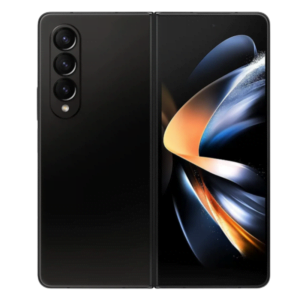
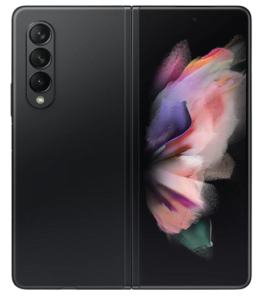
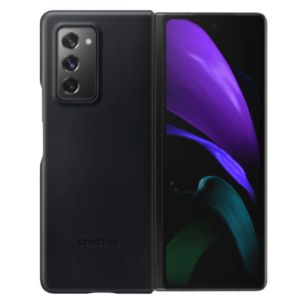
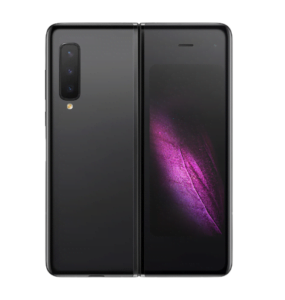
A: It all depends on the model of your phone. Newer devices will usually cost more and special devices such as Samsung Z Flip and Z Fold will cost even more. However, these devices usually come with a special warranty to cover the screen damage. You can also check their prices here.
Q: “Where can I get my Samsung phone fixed?”
A: Samsung service centre is located at Plaza Singapura and Westgate. You can also bring your device to their dropoff customer service centre where their staff will transfer the device to the respective service centre for repairing.
Samsung customer service center
Mobile Devices
Provide services for all Samsung Products
Address:


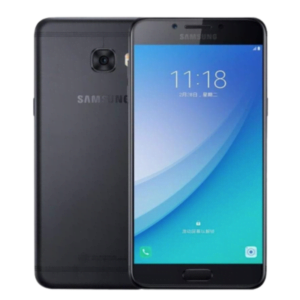
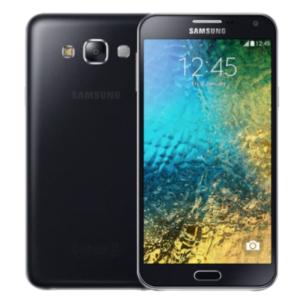
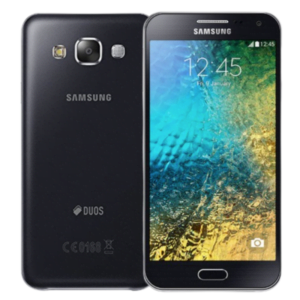

 The device is brand new, unused, and comes in its original packaging with all original accessories included.
 The screen is flawless with no scratches, in pristine condition. The exterior looks like new, with minimal signs of wear that are hardly noticeable even up close. The battery health is at 90% or above, ensuring strong performance.
 The screen has minimal scratches that are only noticeable when the display is switched off. The exterior shows minimal signs of wear, such as paint peel, light scratches, or small case marks, but these are only visible from a distance and do not affect the overall appearance. Overall, the device is in excellent shape with very slight signs of use. The battery capacity is at least 85%.
 The screen may have some visible scratches, but they don’t affect how the device works. The body shows signs of use like scratches, dents, or small chips, but these are purely cosmetic. Overall, the device is in good working order, with a battery capacity of at least 85%.

